featured projects
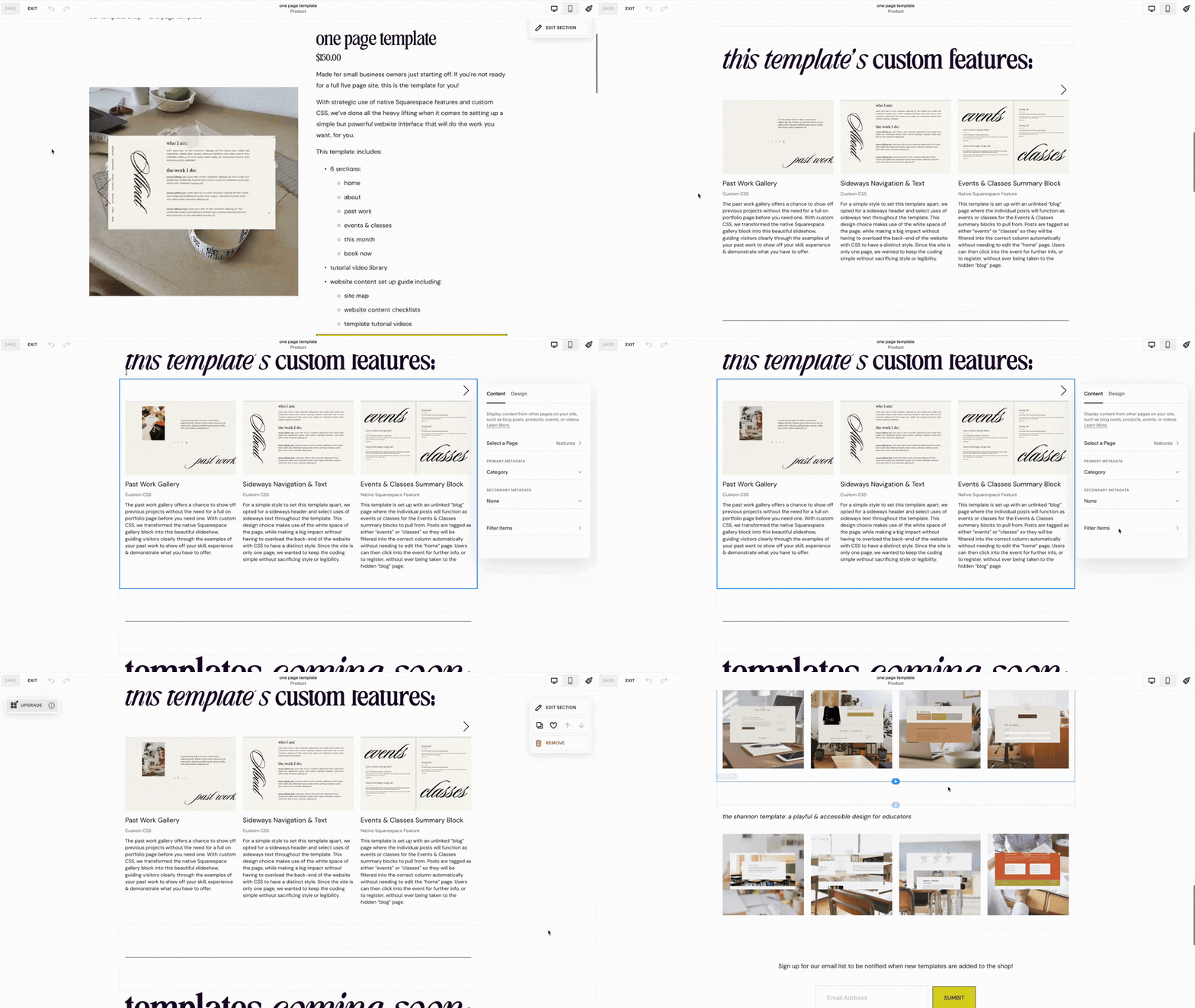
Additional Product Info: Featured Posts Summary
product page: additional info function
While the provided prompts for products are a bit limited, you can expand your product page to include anything you want with the classic builder under the “additional info” section while editing your product. For our templates, we used it as a place to add summary blocks linked to our features page, to showcase the custom features that correspond with each template, since we’ve already featured them on our site in detail.

Making Use of Tags & Categories
native tagging & categorizing feature
This tagging system allows us to:
feature relevant posts on portfolio pages
feature relevant posts on product pages
This categorization system allows us to
label & organize posts on features page by technique used
have clear meta data that labels key/custom features by technique used
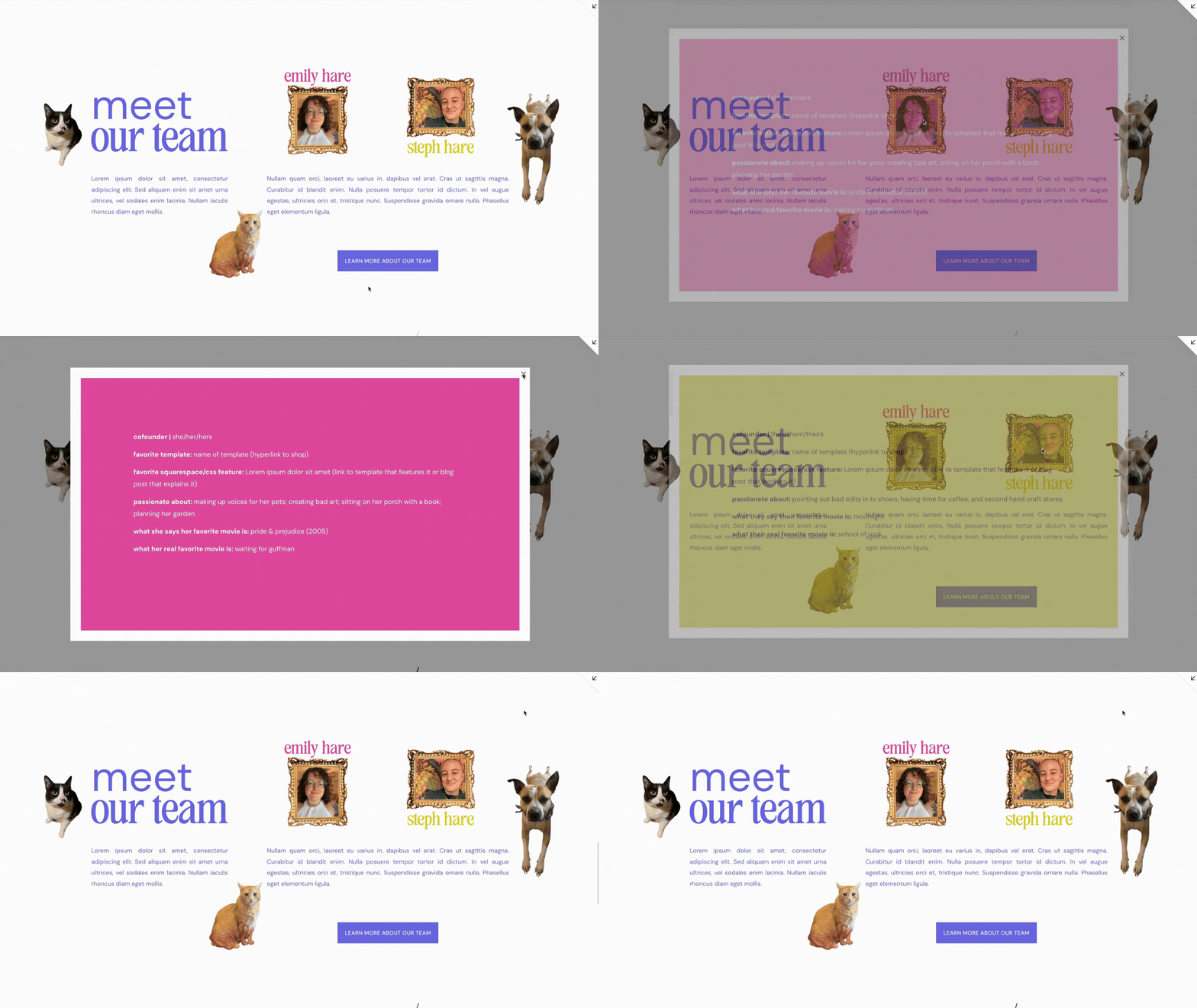
About Us: Lightbox Pop-Up
Lightbox Anything Plugin
For Hare Brained Design Studio & copy cat template we combined the Lightbox Anything Plugin and a CSS zoom on hover effect over our photos as a simple, interactive “about us” pop-up function. While the information included in the pop-ups are fun facts about our team members to help get to know us (the information we want to make sure folks read is in simple text blocks in the “meet our team” section), the interactive nature and the combined functions help show off the type of custom elements we can include in our projects.
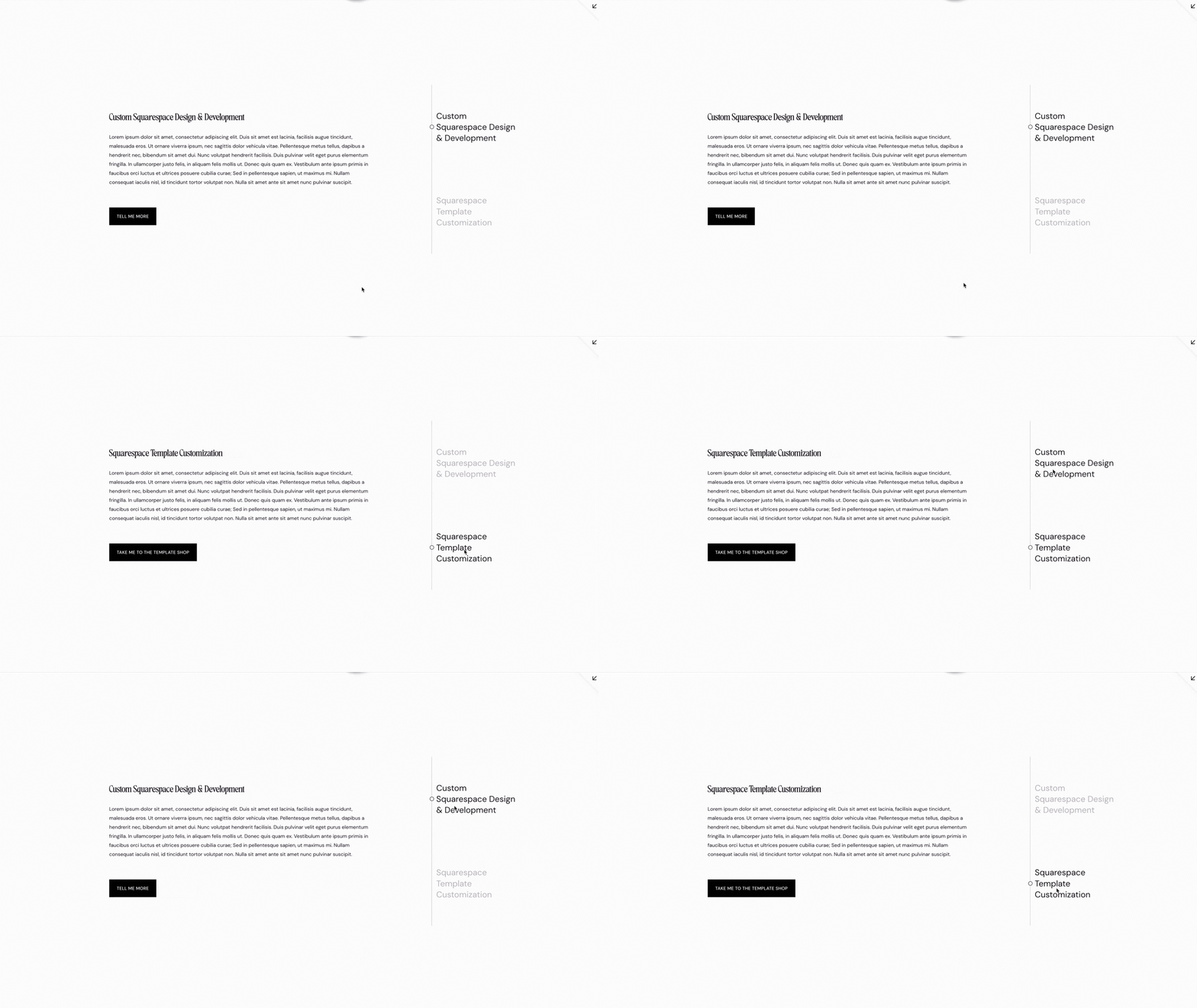
Simple Services Tabs
Accordion Block + Custom CSS
Using an accordion block and custom CSS, we designed our services to show up with this simple side tab menu. It is visually intuitive, so visitors can navigate it easily, and find what they need without having to guess. This function is meant to appeal to folks who need help but in looking for help are hoping for someone to keep it simple for them.
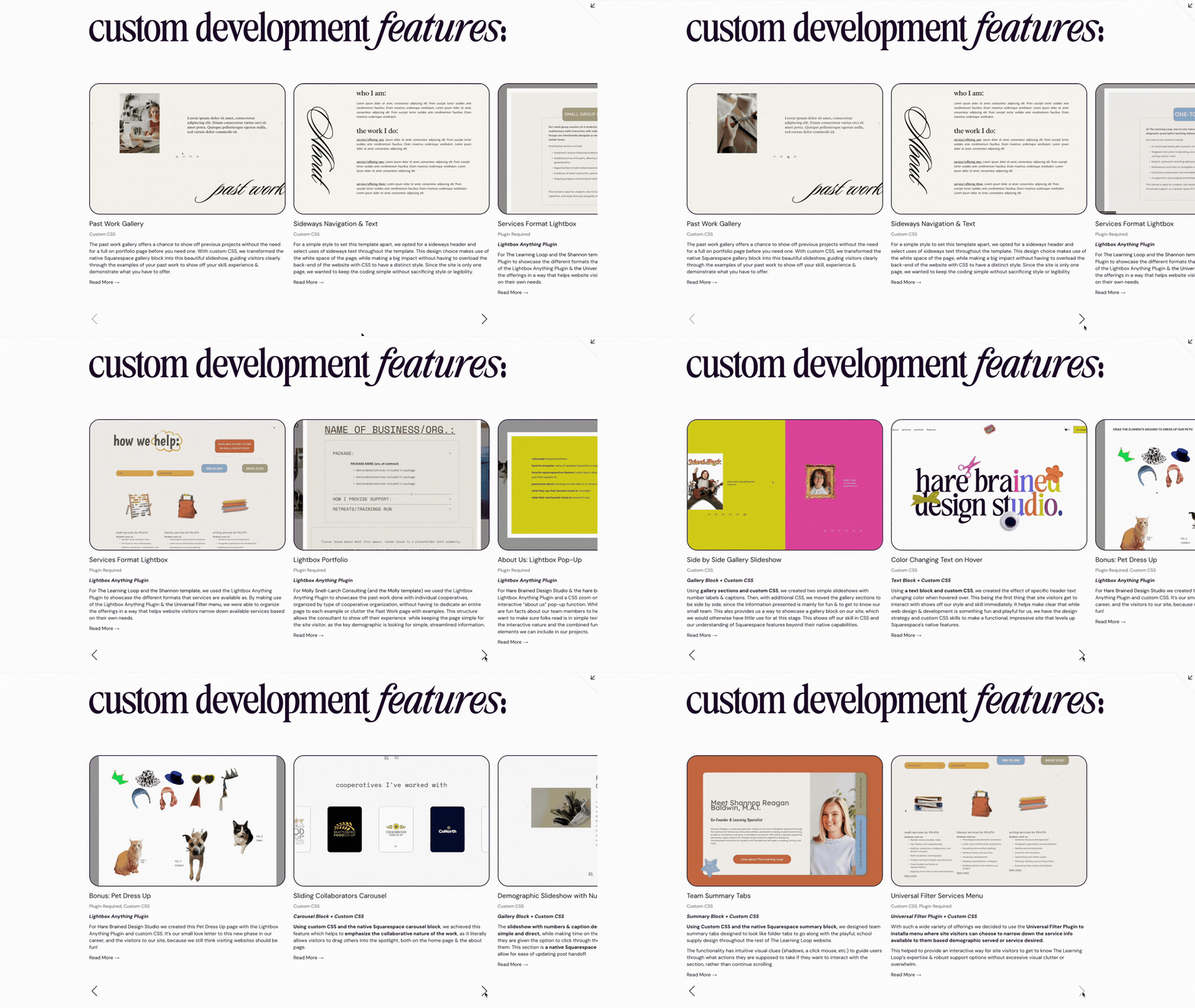
Custom Features Summary Slides
Summary Block + Custom CSS
Using a summary block and custom CSS, we can feature our custom features posts throughout our site, making clear:
what the feature is
what technique was used
what that feature does
with a more intuitive slideshow design, to encourage interaction from site visitors.
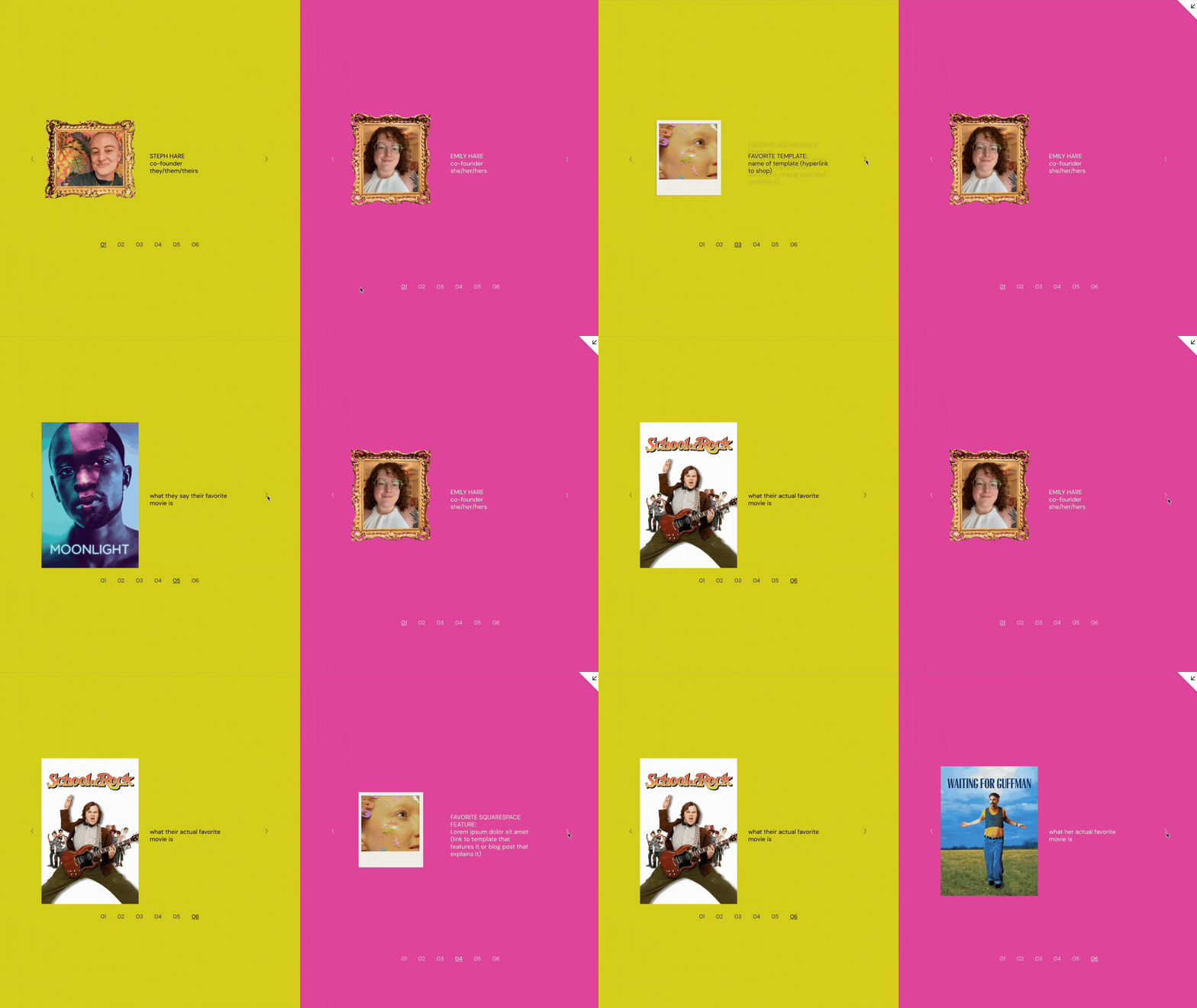
Side by Side Gallery Slideshow
Gallery Block + Custom CSS
Using gallery sections and custom CSS, we created two simple slideshows with number labels & captions. Then, with additional CSS, we moved the gallery sections to be side by side, since the information presented is mainly for fun & to get to know our small team. This also provides us a way to showcase a gallery block on our site, which we would otherwise have little use for at this stage. This shows off our skill in CSS and our understanding of Squarespace features beyond their native capabilities.
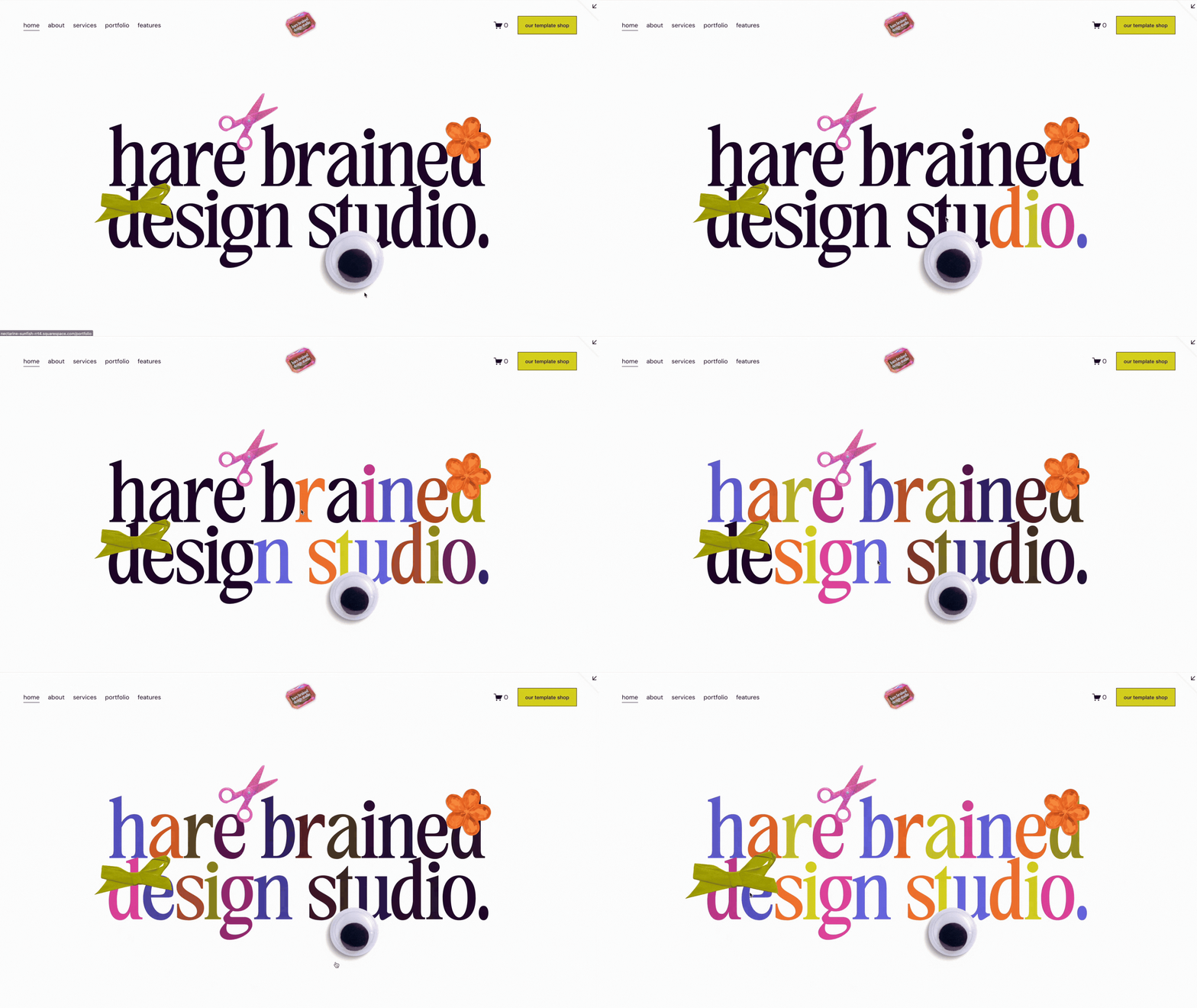
Color Changing Text on Hover
Text Block + Custom CSS
Using a text block and custom CSS, we created the effect of specific header text changing color when hovered over. This being the first thing that site visitors get to interact with shows off our style and skill immediately. It helps make clear that while web design & development is something fun and playful for us, we have the design strategy and custom CSS skills to make a functional, impressive site that levels up Squarespace's native features.
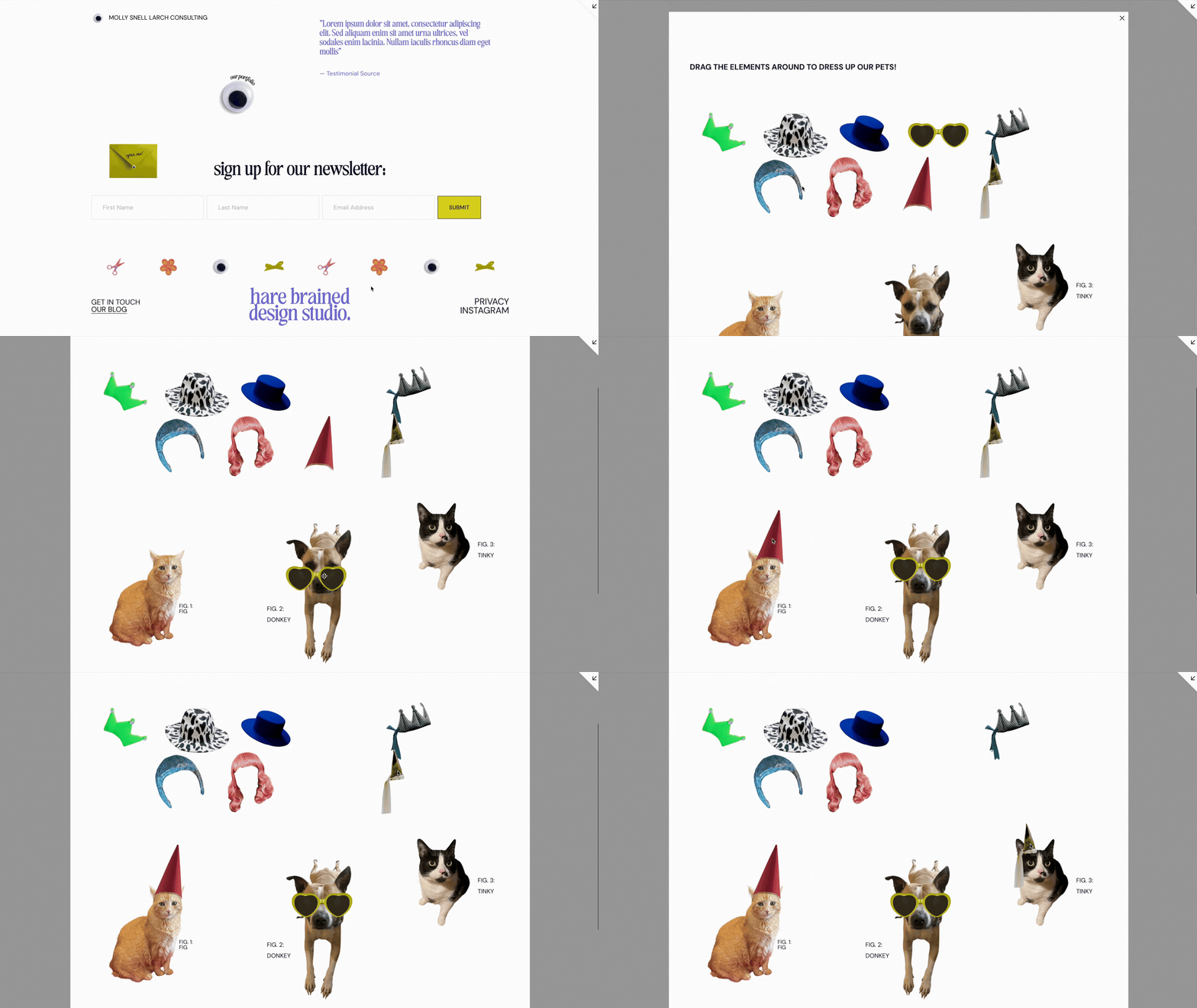
Bonus: Pet Dress Up
Lightbox Anything Plugin
For Hare Brained Design Studio we created this Pet Dress Up page with the Lightbox Anything Plugin and custom CSS. It’s our small love letter to this new phase in our career, and the visitors to our site, because we still think visiting websites should be fun!